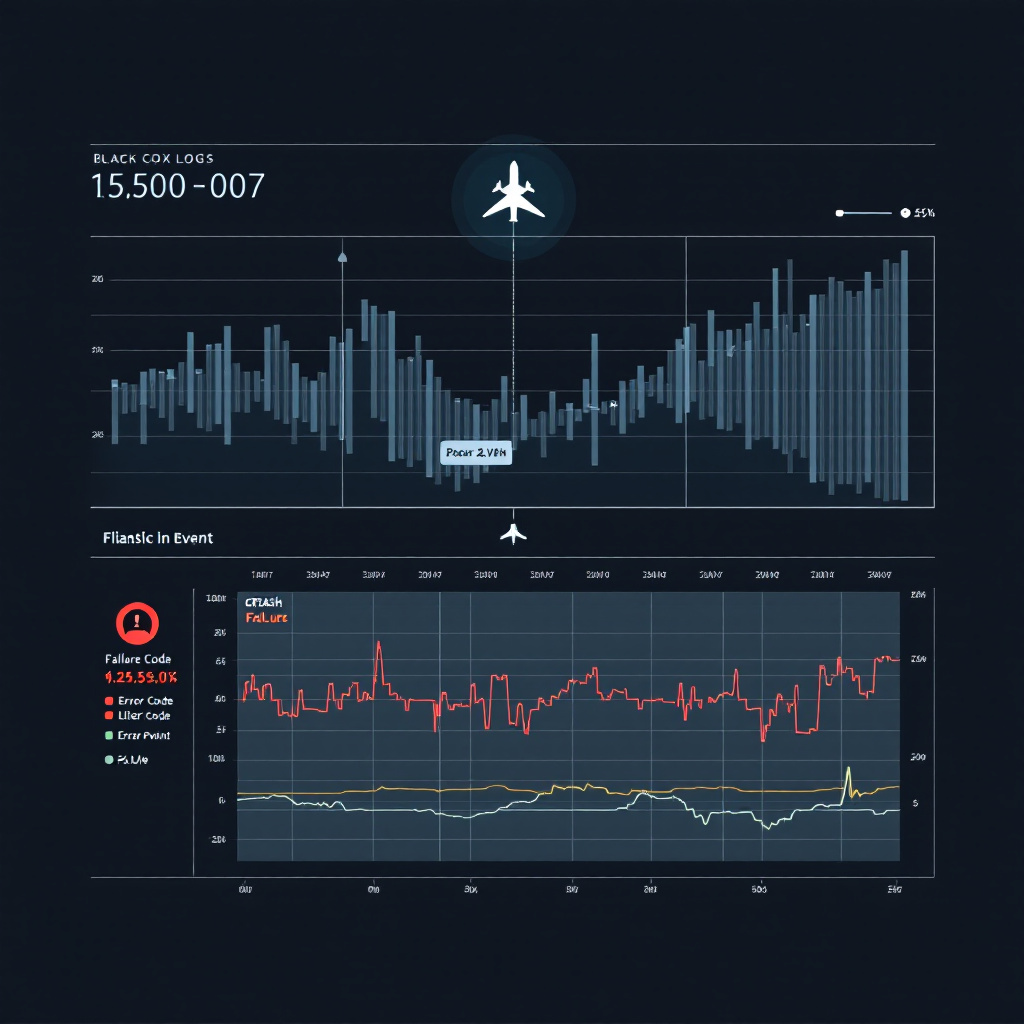
Top 5 ArduPilot Crash Causes and How to Prevent Them
Key Takeaway
Top ArduPilot crash causes include software errors, pilot mistakes, and environmental factors.
Introduction
The five most common ArduPilot crash causes—pilot error, hardware failures, software bugs, environmental factors, and inadequate pre-flight checks—account for over 90% of drone incidents in the field. The good news? Each is preventable with the right knowledge, tools, and discipline. Understanding what causes crashes and how to spot warning signs in your flight logs is the difference between a successful mission and a catastrophic failure.
Whether you're flying a custom-built racing quad, a survey copter, or an agricultural drone, ArduPilot crash causes follow predictable patterns. The flight controller records everything—every command, every sensor reading, every state change—and those breadcrumbs tell the story of what went wrong. Modern platforms like LogHat use AI to automatically surface these patterns, flagging high-vibration events, GPS glitches, failsafe triggers, and control anomalies that human eyes might miss in thousands of log lines.
This comprehensive guide covers the technical details behind each major crash cause, the specific parameters and log fields to monitor, and actionable strategies for drone crash prevention. By the end, you'll know exactly what to look for in your telemetry data and how to implement preventive measures that keep your aircraft flying safely.
Cause #1: Pilot Error
Pilot error remains the leading cause of drone crashes, accounting for an estimated 40-50% of all incidents. The most common mistakes include aggressive control inputs during GPS mode switches, loss of orientation (especially with line-of-sight flying), failure to monitor battery voltage, and inadequate understanding of flight modes.
Common Pilot Mistakes That Lead to Crashes
The transition between flight modes is where many pilots get into trouble. Switching from Stabilize to Loiter mode without understanding the aircraft's current velocity state can result in unexpected drift or overshoot. In ArduPilot logs, this shows up as sudden changes in CTUN.DesVelX and CTUN.DesVelY that the controller struggles to track.
Another critical error: not respecting the BATT.Volt and BATT.Curr readings. Many crashes occur when pilots push battery limits, and voltage sag under load causes brownouts or unexpected failsafes. Your logs will show BAT_LOW_VOLT threshold violations just before power loss, but the damage is already done.
Loss of orientation—particularly when flying FPV or at distance—leads to panic inputs. You'll see this in RCIN channels as erratic stick movements with no smooth transitions. The pilot thinks they're correcting, but they're actually fighting the stabilization system.
Improving Pilot Skills and Decision-Making
- Practice mode transitions in a simulator first: Use Mission Planner's SITL or RealFlight to build muscle memory for switching between Stabilize, AltHold, Loiter, and Auto modes
- Set conservative failsafe parameters: Configure
FS_BATT_VOLTAGEandFS_BATT_MAHwith adequate margins—don't wait until the last 10% capacity - Review your control inputs post-flight: Analyze
RCINchannels in your logs to identify aggressive or jerky stick movements - Establish personal minimums: Don't fly in conditions that exceed your skill level, especially wind speeds above 12-15 mph when you're still learning
- Use LogHat to identify bad habits: AI analysis can flag patterns like repeated mode switching, late RTL initiation, or consistently high throttle usage that indicate areas for improvement
One often-overlooked aspect is understanding the relationship between CTUN.ThO (throttle output) and hover throttle. If your aircraft requires more than 70-80% throttle to maintain altitude in calm conditions, you're overweight or underpowered—both crash risks that show up clearly in flight data.
Key Takeaway: Pilot error is best prevented through deliberate practice, conservative safety margins, and honest post-flight analysis. Your logs don't lie—use them to learn from every flight, not just the crashes.
Cause #2: Hardware Failures
Hardware failures represent 20-30% of ArduPilot crashes, with vibration-induced sensor errors, ESC failures, and GPS glitches leading the pack. Unlike pilot error, hardware issues often provide clear signatures in your logs—if you know where to look.
Identifying Common Hardware Issues
Excessive vibration is the silent killer of multirotor reliability. When your VIBE.VibeX, VIBE.VibeY, or VIBE.VibeZ values consistently exceed 15 m/s², you're asking for IMU clipping events that corrupt the Extended Kalman Filter (EKF) state estimation. This manifests as EKF_CHECK failures and eventual toilet-bowling or flyaways.
The VIBE.Clip0, VIBE.Clip1, and VIBE.Clip2 fields count accelerometer clipping events. Any non-zero values here indicate your flight controller is experiencing mechanical shock that saturates the sensors. You'll often see this correlated with EKF5.IVN (EKF velocity innovation) spikes that indicate the filter is rejecting accelerometer data as unreliable.
GPS hardware issues show up differently. Watch for GPS.NSats dropping below 10, GPS.HDop rising above 2.0, or sudden jumps in GPS.Alt that don't match barometric altitude from BARO.Alt. These indicate either GPS hardware degradation or antenna placement issues.
ESC failures are often preceded by temperature warnings in ESC telemetry messages (if you're using BLHeli_32 or similar smart ESCs). You'll see one motor's RPM diverge from the others, or current draw spike on individual channels in RCOU outputs before complete failure.
Regular Maintenance Practices
- Vibration isolation: Use properly-rated vibration dampers and verify effectiveness with test flights—target
VIBEvalues under 15 m/s² for reliable operation - Propeller balance: Dynamically balance all props—unbalanced props are the #1 cause of excessive vibration on multicopters
- Electrical connection audits: Check all solder joints, XT60/XT90 connectors, and wire crimps monthly; thermal cycle failures cause intermittent power issues
- Motor bearing inspection: Spin each motor by hand every 20 flight hours—any grinding, notchiness, or resistance indicates bearing wear
- GPS antenna ground plane verification: Ensure your GPS has proper metal ground plane (at least 70mm diameter) for optimal signal reception
- Capacitor health on PDB: Bulging or leaking capacitors on power distribution boards cause voltage spikes that crash ESCs and flight controllers
LogHat's automated hardware health scoring analyzes vibration trends, ESC temperature patterns, and GPS performance across all your flights, alerting you to degradation before it causes a crash. This predictive maintenance approach catches failures in the warning stage rather than during flight.
Key Takeaway: Hardware doesn't fail randomly—it degrades predictably. Regular inspection combined with log analysis creates a reliability program that prevents crashes rather than explaining them afterward.
Cause #3: Software Bugs and Configuration Errors
Software-related crashes account for 15-20% of incidents, split between actual ArduPilot firmware bugs (rare in stable releases) and user configuration errors (common). The line between these can be blurry, but your logs provide definitive evidence of what the flight controller was thinking when things went wrong.
How Software Issues Lead to Crashes
True firmware bugs are uncommon in ArduPilot stable releases, but they do exist—particularly in newer features or edge cases. The ERR subsystem logs internal errors, with codes like ERR.SubSystem = 2 indicating EKF problems or = 18 indicating GPS failures. When you see ERR.ECode values that correspond to software assertions or internal consistency checks, you've found a firmware-level issue.
More commonly, pilots encounter crashes from parameter misconfigurations. Setting ATC_RAT_RLL_P or ATC_RAT_PIT_P too high creates oscillations that appear as high-frequency noise in IMU.GyrX and IMU.GyrY. The aircraft literally shakes itself apart mid-flight as the control loops become unstable.
Geofence violations due to incorrect FENCE_ENABLE, FENCE_RADIUS, or FENCE_ALT_MAX parameters can trigger unexpected RTL or LAND modes. Your MODE messages will show the transition, but if you didn't set up the fence properly, the sudden autonomous action feels like a crash in progress.
Keeping Software Updated and Properly Configured
- Stick to stable releases: Run ArduPilot stable firmware (4.3.x, 4.4.x) for production missions—only use dev/beta builds for testing on expendable platforms
- Read release notes thoroughly: Every ArduPilot release includes parameter changes and new features that may affect your configuration
- Use parameter validation tools: Mission Planner's parameter checker identifies dangerous combinations before you fly
- Test new parameters in SITL: Before applying PID tune changes or new features, validate them in Software In The Loop simulation
- Version control your parameters: Save dated parameter files after each change so you can revert if issues appear
- Review
MSGandERRlogs: Critical warnings often appear in these messages before catastrophic failures
Configuration errors often compound: incorrect MOT_PWM_MIN and MOT_PWM_MAX values lead to poor motor response, which pilots try to fix with aggressive PID tuning, which increases vibration, which degrades EKF performance. LogHat's correlation engine identifies these cascading issues by analyzing multiple subsystems simultaneously, showing you the root cause rather than just the final failure mode.
Key Takeaway: Software complexity requires systematic configuration management. Validate parameters before flight, use stable releases for critical missions, and treat your flight logs as the diagnostic output they are—not just post-crash forensics.
Cause #4: Environmental Factors
Environmental conditions cause 10-15% of crashes, often through mechanisms that pilots don't anticipate. Wind shear, magnetic interference, GPS multipathing, and barometric pressure changes all affect flight stability in ways that show up clearly in your telemetry data.
Weather and Terrain Effects on Flight Stability
Wind affects more than just position hold—it fundamentally changes the aircraft's control authority. When WIND.Spd (wind speed estimate) approaches 40-50% of your airspeed (for fixed-wing) or your maximum tilt angle authority (for multicopters), you're operating on the edge of controllability. The CTUN.ThrOut field will show 100% saturation as the controller demands more power than available.
Magnetic interference corrupts compass readings, causing EKF3 compass variance errors. Your logs will show large discrepancies between MAG.MagX/Y/Z readings and expected values based on GPS heading. Common sources include power lines, metal buildings, and even rebar in concrete. The MAG.OfsX/Y/Z offsets will drift unexpectedly when interference is present.
GPS multipathing near buildings, cliffs, or under tree canopy shows up as increased GPS.HAcc (horizontal accuracy) and GPS.VAcc (vertical accuracy) values. When these exceed 2-3 meters, the EKF begins weighting other sensors more heavily, which can cause position drift if barometric or optical flow data is also compromised.
Thermal effects are subtle but real: cold batteries show reduced capacity (watch for BATT.Curr spikes at lower voltages), while hot ESCs trigger thermal throttling in smart ESCs with telemetry. Your ESC.Temp field will show the thermal limits being reached.
Flying Safely in Various Conditions
- Establish wind limits: For multicopters, set personal maximums at 50% of your maximum tilt angle in degrees (e.g., 20° max tilt = 10 mph wind limit)
- Perform compass calibration monthly: And always after hardware changes or before flying in new locations
- Avoid magnetic anomaly zones: Pre-flight site surveys with a compass app can identify interference areas
- Monitor GPS quality in real-time: Configure OSD or telemetry to show
NSatsandHDop—don't fly with fewer than 10 satellites or HDop above 2.0 - Temperature-compensate batteries: Add 20-30% capacity margin when flying in temperatures below 50°F or above 95°F
- Check barometric pressure trends: Rapid pressure changes during flight (storms moving in) appear as
BARO.Altdrift relative to GPS altitude
LogHat automatically flags environmental anomalies like GPS quality degradation, compass variance spikes, and wind speed estimates that exceed safe thresholds. This real-time awareness, combined with historical weather correlation, helps you make go/no-go decisions based on actual risk rather than guesswork.
Key Takeaway: The environment is the variable you can't control, but you can measure its effects and make informed decisions. Your logs quantify environmental stress on the aircraft—use that data to define your personal operating limits.
Cause #5: Inadequate Pre-Flight Checks
Skipping or rushing pre-flight checks contributes to 10-15% of crashes, and these are perhaps the most frustrating because they're entirely preventable. The irony is that ArduPilot provides extensive pre-arm safety checks—but only if you've configured them properly and don't ignore the warnings.
The Critical Importance of Pre-Flight Procedures
ArduPilot's pre-arm checks verify dozens of safety conditions before allowing motors to arm. The ARMING_CHECK parameter (bitmask) controls which checks are enforced. Setting it to 1 (all checks) might seem restrictive, but each check has prevented countless crashes.
Common pre-arm failures include: EKF variance errors (aircraft hasn't achieved GPS lock or sensor fusion convergence), compass variance high (compass not calibrated or near interference), RC not calibrated (radio min/max values not set), and GPS glitch (position jumping or insufficient satellites).
Your EV (event) messages record pre-arm failures and successful arming. When you see repeated arm/disarm cycles in the logs, that's evidence of a pilot ignoring warnings or attempting to bypass safety checks.
Essential Pre-Flight Checklist
- Visual inspection (5 minutes):
- Props for damage, correct tightness, and proper rotation direction
- All fasteners tight, no loose wires or components
- Landing gear secure, camera mount stable
- Battery physically secure with no puffing or damage
- Power-on checks (3 minutes):
- GPS lock achieved:
NSats ≥ 10,HDop < 2.0 - Compass calibrated: no "compass variance" pre-arm errors
- Radio link solid: verify all stick inputs respond correctly, no glitching
- Battery voltage nominal: check
BATT.Voltmatches expected full-charge voltage - Failsafe parameters confirmed: verify
FS_THR_ENABLE,FS_GCS_ENABLEare set appropriately
- GPS lock achieved:
- Mission-specific checks (2 minutes):
- Geofence loaded and active if required
- Waypoint mission uploaded and verified in correct coordinate system
- Camera or payload functional and logging/recording
- Telemetry link verified: GCS shows live data and commands accepted
- Control surface check (1 minute):
- Elevator/aileron/rudder move in correct direction for input (fixed-wing)
- Motor outputs respond to throttle input (multicopter)
- No oscillation or chatter at zero throttle
The most critical habit: wait 60 seconds after power-on before arming. This allows the EKF to converge, GPS to stabilize, and all sensors to initialize. You'll see this in logs as the transition from high NKF1.IVN (EKF innovation) values at boot to stable, low values before first arming.
LogHat's pre-flight health scoring analyzes your last 10 flights to establish baseline sensor performance, then flags deviations during pre-arm that might indicate developing hardware issues. This turns pre-flight checks from a checklist exercise into a data-driven risk assessment.
Key Takeaway: Pre-flight checks are not bureaucratic overhead—they're the last line of defense against preventable crashes. Take the time, use the data, and never ignore pre-arm warnings.
Frequently Asked Questions
What are common signs of an impending crash?
Watch for several warning signs in both aircraft behavior and log data. Erratic behavior includes unexpected altitude changes, toilet-bowling (circular drifting), or uncommanded tilting. In your logs, look for EKF_CHECK errors, high VIBE values (especially with clipping events), GPS.NSats dropping below 8, or BATT.Volt approaching failsafe thresholds. Warning messages in MSG fields like "Bad compass health," "GPS glitch," or "EKF variance" are immediate red flags. If you're getting pre-arm failures or your OSD shows flashing warnings, do not attempt to fly—those systems are telling you the aircraft is not safe to operate. LogHat's real-time analysis highlights these warning patterns across all your telemetry streams, giving you integrated risk assessment rather than having to correlate multiple log sections manually.
How often should I perform maintenance on my drone?
Implement a tiered maintenance schedule: before every flight (visual inspection, battery check, prop condition), every 10 flight hours (motor bearings inspection, connector tightness, vibration damper condition), every 25 flight hours (full parameter backup, compass calibration, ESC calibration, log-based performance review), and every 50 flight hours or 6 months (complete teardown, bearing replacement if needed, solder joint inspection, capacitor health check). For high-vibration applications like racing or aggressive photography, cut these intervals in half. The key is using your logs to drive maintenance—if you see VIBE values trending upward over time, that's a leading indicator of bearing wear or mount degradation. Track trends in BATT.Curr at constant power levels to identify battery aging. LogHat's fleet health tracking makes this easy by automatically plotting these key parameters across your flight history.
Should I fly in wind, and how do I know when it's too windy?
Wind flying requires understanding your aircraft's limits and current conditions. For multicopters, when estimated wind speed (ArduPilot calculates this internally as WIND.Spd) exceeds half your maximum configured tilt angle, you're at the edge of control authority—the aircraft may not be able to return home against the wind. A good rule of thumb: if gusts are causing constant large control inputs to hold position (watch RCOU channels bouncing rapidly), you're at your limit. For fixed-wing, when wind speed approaches your cruise airspeed, ground speed becomes problematic for navigation. Check historical wind data for your flight location and time of day, and configure your OSD or telemetry to display real-time wind estimates. Always verify after flight by checking WIND.Spd and WIND.Dir in logs—this builds intuition for your aircraft's wind handling characteristics.
What should I do if my drone starts behaving erratically mid-flight?
First, do not panic and make aggressive control inputs—this often makes the situation worse. If you're in an autonomous mode (Loiter, Auto, Guided), switch to a manual stabilize mode to regain direct control, but be prepared for the aircraft to drift if GPS or compass issues are present. If erratic behavior continues in Stabilize mode, you likely have a sensor or hardware problem—land immediately using controlled descent, not emergency cut-off which causes crash damage. Activate RTL only if you're confident the aircraft can navigate home—don't use RTL during GPS glitches. After landing, do not fly again until you've analyzed the logs. Look for the timeframe when problems started and check: EKF status messages, VIBE for sudden spikes, GPS quality degradation, MAG compass variance, or RCIN signal loss. This is where LogHat's AI analysis excels—it automatically identifies the inflection point where normal flight became abnormal and highlights the causative factors across all subsystems.
How do I know if my crashes are pilot error or equipment failure?
The logs provide objective evidence. Pilot error indicators: Crashes preceded by rapid mode switching, aggressive RCIN stick inputs with no smooth transitions, arming despite pre-arm warnings, low BATT.Volt at time of incident, or flying beyond radio range (watch RSSI values). Equipment failure indicators: Sudden losses of control with no pilot input changes, pre-crash VIBE spikes or clipping events, EKF_CHECK errors that appear spontaneously, GPS.NSats drops, compass variance errors when flying straight and level, or ERR messages indicating internal failures. Most crashes have compound causes—a marginal equipment condition that pilot error converts into a crash. For example, flying with high vibration (equipment issue) and then making aggressive mode changes (pilot error). Honest log analysis, ideally using tools like LogHat that correlate multiple factors objectively, helps you separate what the aircraft did from what you told it to do.
Data-Driven Drone Safety
Understanding ArduPilot crash causes moves you from reactive "what happened?" to proactive "what could happen?" thinking. The five major causes—pilot error, hardware failures, software issues, environmental factors, and inadequate pre-flight checks—all leave distinct signatures in your flight logs. The challenge for most pilots isn't flying better, it's extracting actionable insights from gigabytes of telemetry data accumulated across dozens or hundreds of flights.
Every ArduPilot parameter, every sensor reading, every state transition is recorded because it matters. VIBE tells you about structural health, EKF reveals sensor fusion quality, GPS quantifies position confidence, RCIN/RCOU show control loop behavior, and BATT tracks power system performance. Together, these data streams paint a complete picture of aircraft health and pilot decision-making.
The pilots who never crash aren't lucky—they're disciplined about using their data. They establish baselines, track trends, set conservative limits, and make go/no-go decisions based on evidence rather than optimism. They treat every flight as a test flight, logging and reviewing performance even when nothing went wrong.
Ready to transform your approach to drone safety? LogHat's AI-powered analysis automatically surfaces the patterns, trends, and anomalies that predict crashes before they happen. Upload your ArduPilot logs and get instant insights into vibration health, GPS reliability, battery performance, and pilot technique—all correlated across your entire flight history. Stop wondering what caused your crash and start preventing the next one. Try LogHat free today and experience what data-driven drone safety really means.
Tagged
Try LogHat
Analyze your flight logs in seconds
Upload a .bin, .tlog, .log, or .ulg file. Get AI crash analysis, 3D replay, and forensic PDF reports instantly.
Try LogHat Free